
If you’ve ever sent Bitcoin and found your transaction stuck as “unconfirmed”, you’re not alone. Many users wonder: Why is my Bitcoin transaction taking so long? The short answer often comes down to network congestion, low transaction fees, or delays in block confirmations. Let’s break down what’s happening — and what you can do to speed things up.
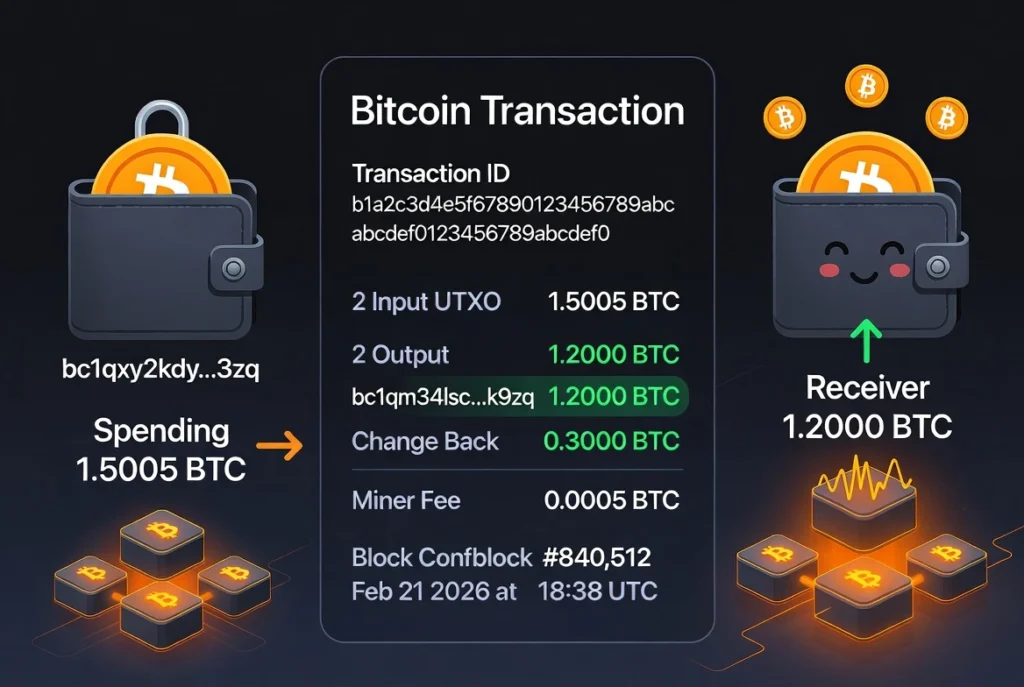
Table of Contents
Understanding Bitcoin Transaction Confirmations
A Bitcoin confirmation occurs when your transaction is included in a mined block and added to the blockchain. Typically, a transaction is considered fully secure after 6 confirmations. However, even one confirmation often suffices for most transfers.
When your transaction still shows as unconfirmed, it means it hasn’t been added to a block yet. In other words, it’s waiting its turn in the mempool.
Buy Crypto on https://crypto.com/exch/mw5jfdsaf5
The Role of the Bitcoin Mempool
The mempool (short for “memory pool”) is where pending transactions wait before being added to a block. Every Bitcoin node maintains its own mempool, and when there’s mempool congestion, the queue of unconfirmed transactions can grow rapidly.
When demand on the Bitcoin network spikes—say during price volatility or high trading activity—the mempool becomes crowded. Miners then prioritize transactions with higher fee rates (measured in sat/vB, or satoshis per virtual byte).
If your fee rate is too low, your transaction might end up stuck pending for hours—or even days—until congestion eases.
Common Reasons for an Unconfirmed Bitcoin Transaction
1. Low Transaction Fee
Miners naturally prefer transactions offering higher fees. If your sat/vB fee rate was set too low, your transaction may get overlooked until space becomes available.
2. Mempool Congestion
High activity periods can lead to mempool sizes exceeding available block space. When this happens, thousands of transactions compete for inclusion, causing delays.
3. Network Limitations
Bitcoin’s block size limit (1MB for the base block, up to 4MB with SegWit) restricts the number of transactions processed at once, further extending bitcoin confirmation times.
How to Fix a Stuck or Unconfirmed Transaction
If your transaction is stuck pending, there are a few ways to accelerate it:
1. Use RBF (Replace-By-Fee)
If your wallet supports RBF (Replace-By-Fee), you can resend your transaction with a higher fee. This tells miners to prioritize your updated version, replacing the older one in the mempool. It’s one of the most effective ways to fix an unconfirmed Bitcoin transaction.
2. Try CPFP (Child Pays for Parent)
If RBF isn’t available, you can use CPFP (Child Pays for Parent). This method involves creating a new transaction (the “child”) that spends outputs from the stuck transaction (the “parent”), but with a high enough fee to cover both. Miners will include both transactions to maximize their reward.
3. Wait It Out
Sometimes patience pays off. If mempool congestion subsides, your transaction might eventually get confirmed without intervention.
4. Cancel and Resend
If your Bitcoin wallet allows, you can cancel an unconfirmed transaction and resend it with a higher fee rate (expressed in sat/vB). Always check current fee estimates using a tool like Mempool.space or Bitcoinfees.net before resending.
Tips to Avoid Delayed Transactions in the Future
- Check mempool conditions before sending — if it’s congested, increase your fee.
- Enable RBF in your wallet settings for future flexibility.
- Use SegWit addresses to reduce transaction size and cost.
- Monitor fee estimates in real-time to match the network’s current demand.
Final Thoughts
An unconfirmed Bitcoin transaction doesn’t necessarily mean something’s wrong—it’s just waiting to be processed. Most delays are due to mempool congestion or a low sat/vB fee rate.
By understanding tools like RBF and CPFP, and checking the network’s current status before sending, you can avoid having your transaction stuck pending for too long.
The next time your Bitcoin transaction seems slow, you’ll know exactly what’s happening—and how to fix it.