
Crypto Cobra Guides: Security Tips for Safer Wallet Management explains how disciplined wallet habits, verified devices, recovery planning, and careful transaction review reduce preventable losses.
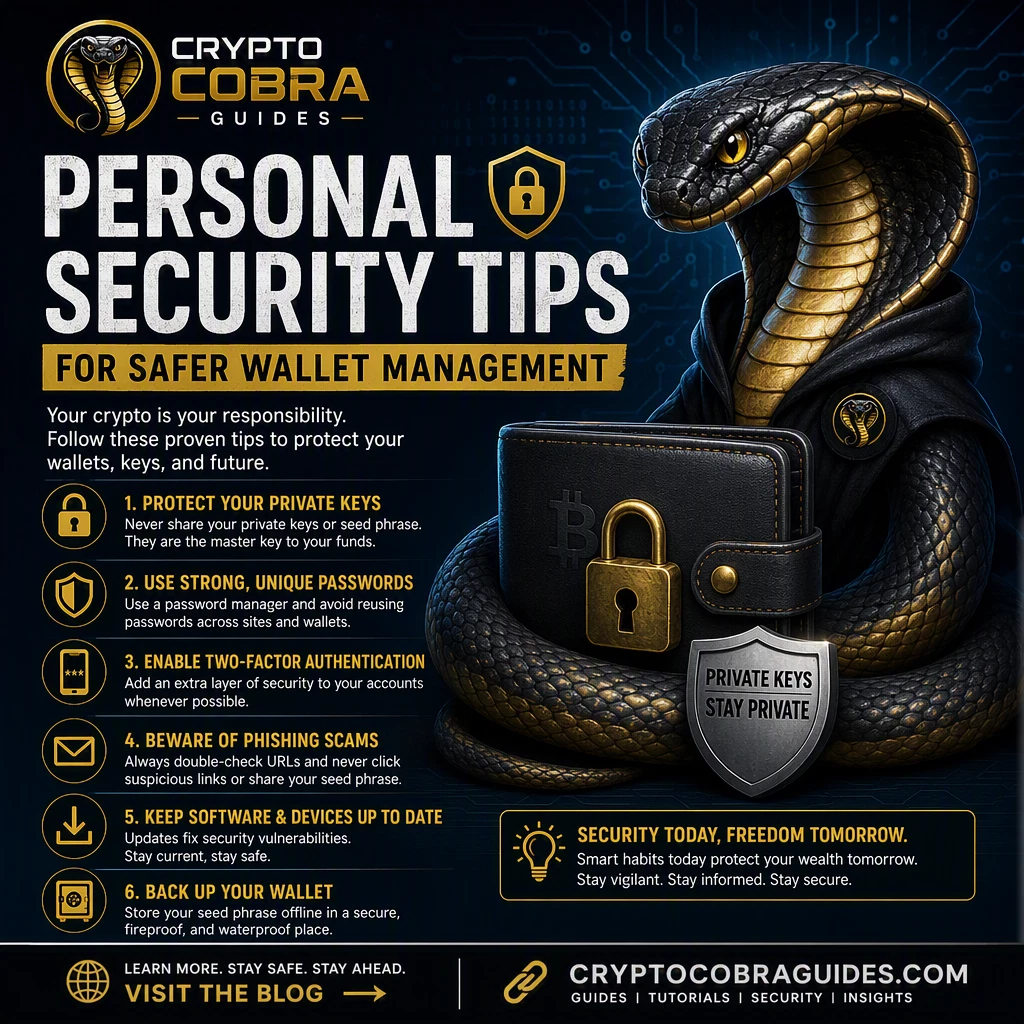
1. The Essential Safety and Security Foundation for Safer Wallets
1. The Essential Safety and Security Foundation for Safer Wallets begins with unique credentials, hardware-backed authentication, offline recovery protection, and transaction checks before every transfer.
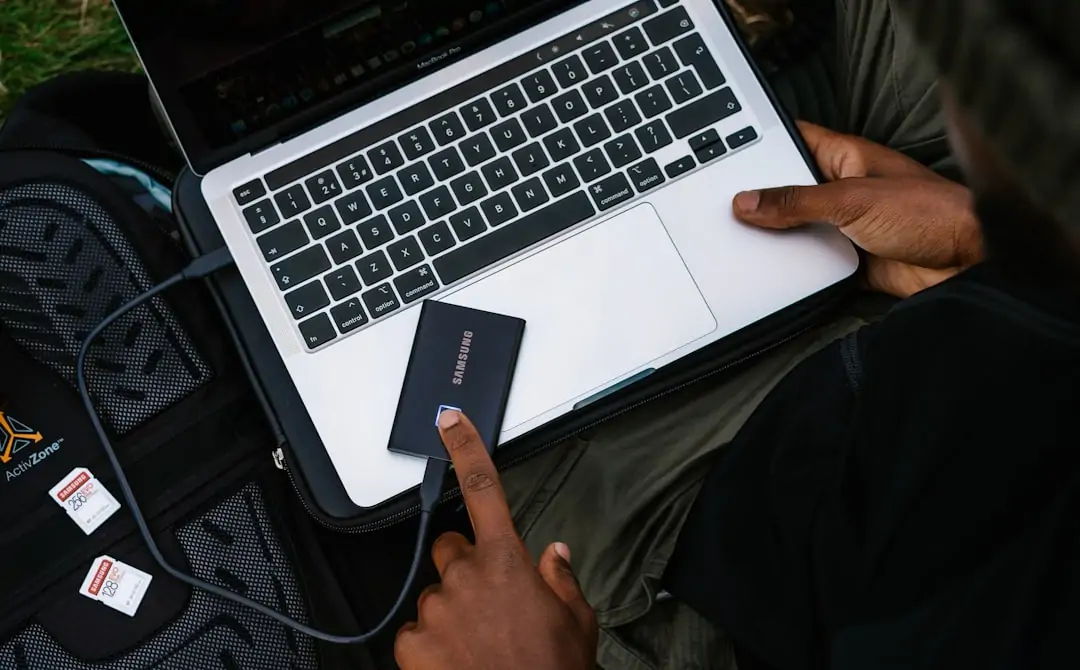
How Security Awareness and online safety protect everyday accounts
How Security Awareness and online safety protect everyday accounts depends on recognizing urgency, verifying senders independently, and refusing requests for seed phrases, passwords, or remote access. Security Awareness is strongest when users pause before clicking and confirm addresses through trusted channels.
Practical cybersecurity habits for secure computing
Practical cybersecurity habits for secure computing include installing software updates, enabling automatic screen locks, separating daily accounts from administrator accounts, and using reputable endpoint protection. Never copy wallet commands from unverified chats, because malware can replace copied addresses before a transaction is approved.
Proven secure computing routines for stronger Security Awareness
Proven secure computing routines for stronger Security Awareness include checking domain spelling, disabling unnecessary browser extensions, scanning downloads, and reviewing wallet permissions monthly. Keep recovery phrases offline, test backups without exposing them, and confirm network and recipient details on the wallet display.
Why Compliance and Security Policies matter to every user
Why Compliance and Security Policies matter to every user is clear when rules protect protected data, payment records, and institutional systems from avoidable exposure. Follow approved storage, reporting, and access procedures rather than creating informal workarounds that weaken accountability.

Proven secure computing routines for stronger Security Awareness
Security Policies that support Compliance without slowing work should define approved devices, retention periods, access reviews, and incident contacts in plain language. GDPR compliance, least privilege, and documented consent help teams protect personal information while allowing legitimate work to continue efficiently.
Academic units and Services that reinforce responsible Safety
Academic units and Services that reinforce responsible Safety can combine research-driven academics with hands-on learning about threat modeling, privacy protection, and ethical computing. The university community benefits when staff and students practice secure workflows using realistic examples rather than relying only on annual reminders.
2. Ultimate Home Security and Personal Security for Homeowners
2. Ultimate Home Security and Personal Security for Homeowners connects physical protection with secure wallet and account routines. Use locked storage, controlled visitor access, strong authentication, and privacy-aware device settings so an intruder cannot easily reach valuables or digital assets.
How Homeowners can build resilient Home security routines
How Homeowners can build resilient Home security routines by inventorying valuables, testing alarms, limiting public location sharing, and preparing trusted emergency contacts. Review who can enter the home, where recovery materials are stored, and whether cameras or assistants expose sensitive conversations.
Proven secure computing routines for stronger Security Awareness
Smart locks, alerts, and device security for Home Security work best when every device has unique credentials, current firmware, and limited remote access. Enable tamper alerts, review shared users, and place cameras to protect entrances without recording unnecessary private areas.
Personal security checks that strengthen Home security
Personal security checks that strengthen Home security include confirming doors and windows, checking package labels before disposal, and avoiding visible wallet or financial information. Arrange lighting around entrances, maintain emergency contacts, and tell trusted people when unusual activity occurs.
Five security tips for stronger Personal Security at home
Five security tips for stronger Personal Security at home are simple: lock consistently, verify visitors, reduce public disclosures, secure devices, and report threats promptly. Personal safety improves when household members rehearse what to do during suspicious visits, coercive messages, or attempted theft.
Homeowners can combine scam prevention with account security
Homeowners can combine scam prevention with account security by treating unexpected calls, invoices, and investment promises as untrusted until independently verified. Do not disclose one-time codes or approve unfamiliar wallet requests; contact institutions through official numbers and document suspicious communications.
Security Policies that support Compliance without slowing work
phishing protection and password management for Home Security require strong passwords stored in a reputable password manager, multi-factor authentication, and separate credentials for email and wallets. Inspect links before opening them, and change credentials immediately after suspected disclosure.
3. Campus Safety: A Proven Roadmap for Public Safety
3. Campus Safety: A Proven Roadmap for Public Safety combines awareness, reporting, lighting, access control, and practical preparation. At Florida Tech, students and employees can protect personal data and one another by following campus guidance, security policies, and emergency procedures.
How Campus Safety teams improve online safety and Security Awareness
How Campus Safety teams improve online safety and Security Awareness through briefings, exercises, and clear reporting channels. Phishing simulations reveal risky habits, while Security training helps users recognize social engineering, suspicious attachments, and unsafe public Wi-Fi.
Embedded Security Training for students, staff, and visitors
Embedded Security Training for students, staff, and visitors should be short, accessible, and repeated at relevant moments. Interactive content, a Training Wall, and practical demonstrations can show how to report concerns, protect accounts, and respond without escalating danger.
Security Policies that support Compliance without slowing work
Incident Reporting that turns Security Awareness into action should capture time, location, people involved, evidence, and immediate risk without encouraging confrontation. Use the designated campus channel, preserve messages or images, and call emergency services when someone faces imminent harm.
Why Compliance and Security Policies matter to every user
Public Safety guidance for Pedestrians and Drivers emphasizes visibility, predictable movement, and attention free from phones. Pedestrians should use marked crossings, Drivers should yield appropriately, and cyclists should use lights and signals. These habits support crime prevention and reduce collisions.

Marked campus crossing showing pedestrians, cyclist, driver, signals, and reflective clothing
Security Policies that support Compliance without slowing work
Bicycle Safety advice for Pedestrians near busy crossings includes slowing before intersections, making eye contact, using front and rear lights, and yielding when sightlines are blocked. Keep headphones low enough to hear traffic, secure bicycles properly, and avoid sudden movement near vehicles.
Academic units and Services that reinforce responsible Safety
National Highway Traffic Safety Administration principles for Drivers include obeying speed limits, avoiding distraction and impairment, yielding to vulnerable road users, and leaving adequate following distance. Scan mirrors regularly, anticipate mistakes, and stop completely where visibility or crossing rules require it.
4. Game-Changing Cybersecurity Habits for Devices and Accounts
4. Game-Changing Cybersecurity Habits for Devices and Accounts protect wallets by reducing the attack surface. Apply software updates, use encrypted storage, enable lock screens, and separate high-value transactions from ordinary browsing. Review connected applications and revoke permissions that are no longer necessary.

Updated smartphone and laptop displaying account security settings beside a disconnected hardware wallet
Why Compliance and Security Policies matter to every user
How device security and secure computing stop common attacks by blocking outdated exploits, suspicious applications, and unauthorized access. Android security improves when updates and verified app stores are used; cloud security improves through least privilege, strong authentication, and careful sharing.
Security Policies that support Compliance without slowing work
scam detection and phishing protection in everyday messages require checking sender addresses, unexpected payment requests, shortened links, and emotional pressure. Gmail encryption protects messages in transit in appropriate situations, but it does not make a malicious recipient or attachment trustworthy.
Academic units and Services that reinforce responsible Safety
account security and password management after suspicious activity begin with disconnecting affected devices, changing credentials from a clean device, revoking sessions, and contacting the provider. Preserve evidence, monitor transactions, and never reuse a password across email, exchange, and wallet services.
Seven security tips for stronger cybersecurity and online safety
Seven security tips for stronger cybersecurity and online safety are: update promptly; use MFA; verify links; protect recovery phrases; back up securely; limit permissions; and monitor alerts. Strong passwords, privacy controls, and careful payment confirmation make everyday attacks substantially harder.
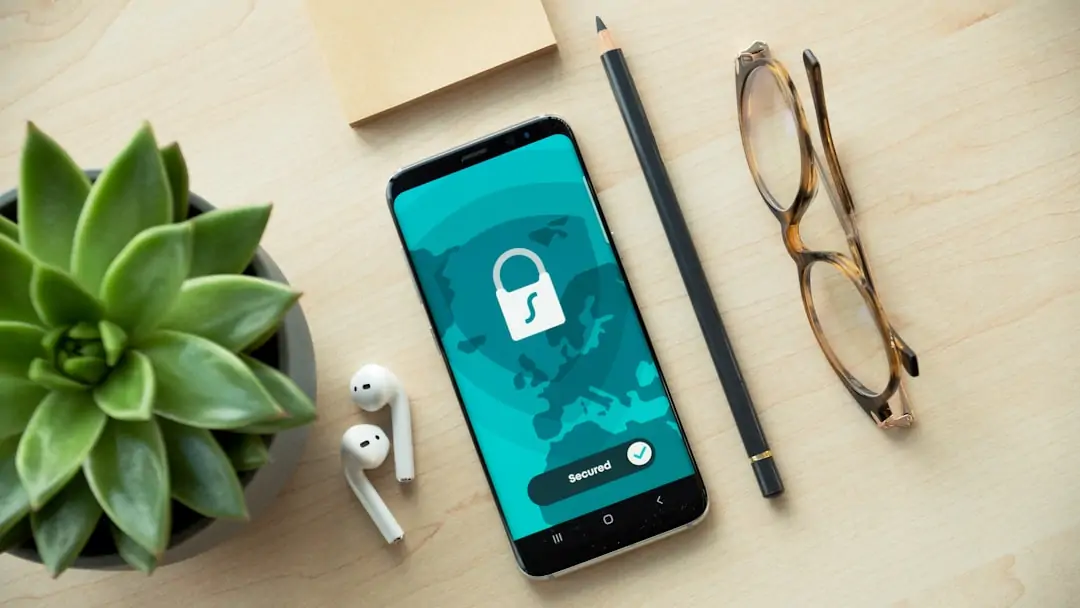
Academic units and Services that reinforce responsible Safety
Personal Security steps after a lost or compromised device include activating remote lock or wipe, contacting the carrier, changing high-risk credentials, revoking tokens, and notifying the wallet provider. Move assets only through verified procedures and document the timeline for investigators.
Embedded Security Training for secure computing at work
Embedded Security Training for secure computing at work should explain data classification, removable media, reporting, and safe collaboration. Demonstrations can show how malware spreads through macros, why shared accounts are dangerous, and how protected data must be handled.
5. Real-World Safety Lessons, Scam Prevention, and Incident Response
5. Real-World Safety Lessons, Scam Prevention, and Incident Response show that small delays prevent large losses. Treat unusual wallet prompts, impersonation, and physical intimidation as warning signals; preserve evidence, seek help, and avoid direct retaliation.

What case studies reveal about scam prevention and Security
What case studies reveal about scam prevention and Security is that criminals exploit urgency, authority, and incomplete verification. Criminal opportunity decreases when Witnesses record objective details, users confirm requests independently, and organizations provide simple reporting routes.
Academic units and Services that reinforce responsible Safety
scam detection examples that sharpen Security Awareness include fake exchange support, counterfeit security alerts, QR-code payment traps, and romance investment schemes. Stop communication, avoid clicking further, verify through official channels, and report the account before blocking it.
Incident Reporting pathways that support Public Safety
Incident Reporting pathways that support Public Safety should distinguish emergencies from nonurgent concerns and protect reporters from unnecessary exposure. Include dates, locations, screenshots, transaction identifiers, and witness information; do not edit original evidence or confront suspected offenders.
How Compliance and Security Policies guide difficult decisions
How Compliance and Security Policies guide difficult decisions by establishing thresholds for access, disclosure, retention, and escalation. When uncertain, pause the transaction, consult the responsible office, and choose the documented process that minimizes harm rather than improvising.
EUI resources for Compliance, Safety, and cybersecurity
EUI resources for Compliance, Safety, and cybersecurity can support awareness, privacy protection, and responsible reporting. Review current guidance, use approved contacts, and verify whether a request concerns personal data, account access, physical safety, or a possible policy violation.
Services that connect Homeowners with Personal Security support
Services that connect Homeowners with Personal Security support may include local public safety contacts, victim assistance, device support, and educational resources. Ask for verified help, protect personal property, and report solicitor scams rather than allowing unknown callers into private areas.
6. Fresh 2025 Resources for a Safer Digital and Physical Community
6. Fresh 2025 Resources for a Safer Digital and Physical Community should be checked for updated threats, emergency contacts, device guidance, and privacy recommendations. Current information helps households and the university community adapt as scams, software vulnerabilities, and local risks change.
Where EUI and Newsletter updates keep Security Awareness current
Where EUI and Newsletter updates keep Security Awareness current by highlighting newly observed phishing scams, policy changes, training dates, and protective actions. Subscribe only through verified pages, review Notification Subscriptions periodically, and avoid entering credentials into links received unexpectedly.
Loading trusted EUI resources for online safety
Loading trusted EUI resources for online safety should involve checking the official domain, secure connection, publication date, and responsible office. Do not trust copied branding alone; independently navigate to the source and confirm that downloads are expected.
Newsletter alerts covering cybersecurity and device security

Newsletter alerts covering cybersecurity and device security can explain software updates, malware warnings, account changes, and safe reporting. Read technical advice carefully, apply recommendations from official sources, and avoid forwarding unverified warnings that could create confusion.
How-to action plan for Safety, Security, and confident next steps
How-to action plan for Safety, Security, and confident next steps: inventory accounts, enable MFA, update devices, secure recovery materials, review physical access, save emergency contacts, and practice reporting. User Experience and Accessibility matter because instructions must be understandable and usable under pressure.
Loading a final checklist for Home Security and secure computing
Loading a final checklist for Home Security and secure computing means confirming locks, alerts, backups, updates, password manager coverage, wallet address verification, and recovery storage. Check Website Account settings, Form Progress, and privacy controls before submitting sensitive information.
Smart locks, alerts, and device security for Home Security
Contact Us and Helpful Links for Campus Safety and Services should provide verified emergency and nonemergency contacts, accessibility support, reporting instructions, and device assistance. Confirm the Emergency number before an incident, and use official campus resources for campus security, crime reporting, and personal safety guidance.