The best crypto wallet depends on what you plan to do with your crypto. Someone holding Bitcoin for five years has different needs from someone swapping tokens on decentralized exchanges or paying for coffee with a phone. This guide ranks the top options by use case, explains the security trade-offs, and gives you a framework for choosing. The main tradeoff is simple: hardware wallets maximize security, while software wallets offer convenience. Most people benefit from using both.
Quick picks:
- Best overall: Ledger Nano X
- Best hardware wallet: Trezor Safe 3 (open-source, budget-friendly)
- Best mobile wallet: Trust Wallet
- Best for DeFi: MetaMask or Rabby
- Best for beginners: Coinbase Wallet
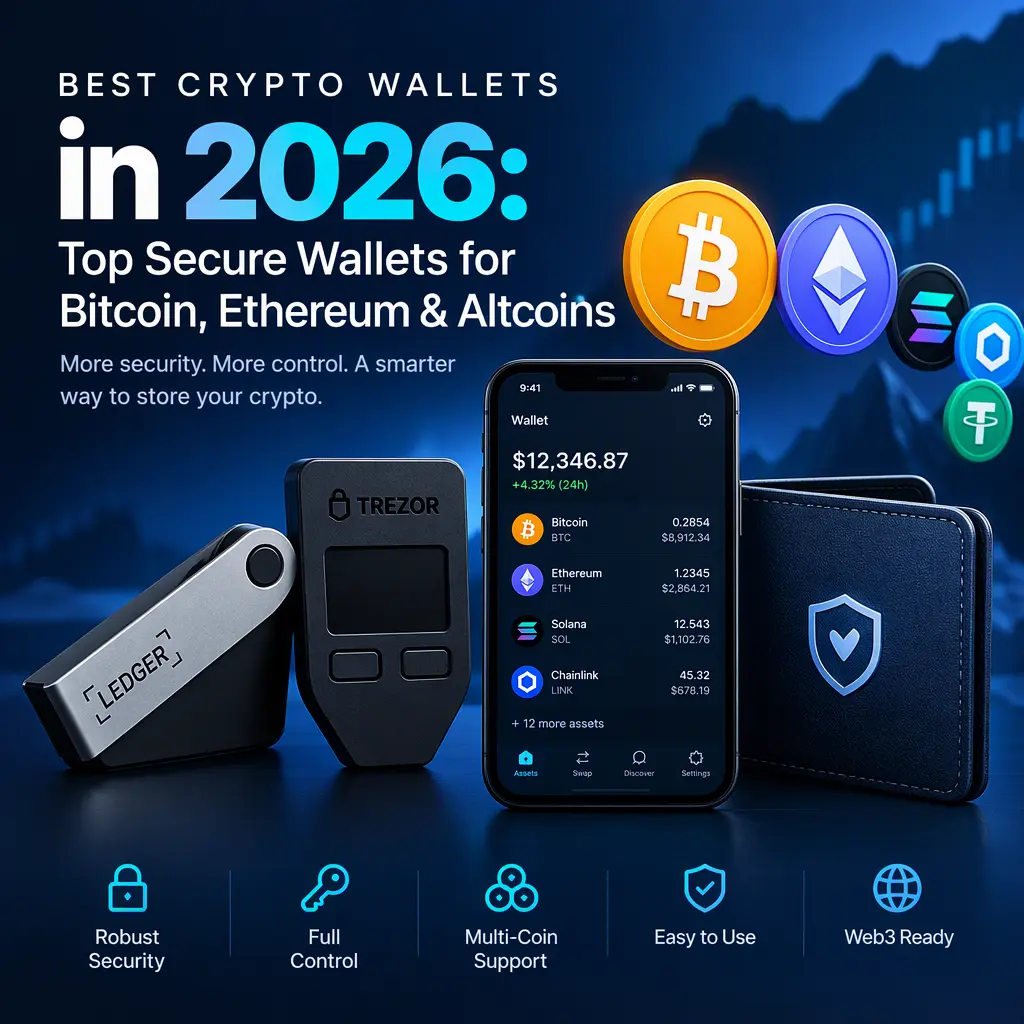
Best Crypto Wallets at a Glance
The table below compares the leading options by type, use case, chain support, custody model, price, and key security features. Prices and supported assets change often, so confirm them on each provider’s official site before buying.
| Wallet | Type | Best for | Supported chains | Custody | Price (approx.) | Key security features |
|---|---|---|---|---|---|---|
| Ledger Nano X | Hardware | Large holdings, broad altcoin support | Thousands of assets via Ledger Live | Self-custody | ~$149 | Secure Element chip, on-device confirmation, Bluetooth |
| Trezor Safe 3 | Hardware | Open-source cold storage on a budget | Major chains and many altcoins | Self-custody | ~$79 | Open-source firmware, PIN, passphrase option |
| Trust Wallet | Mobile | Everyday multi-chain use | 100+ networks | Self-custody | Free | Biometric login, open-source app, in-app staking |
| Coinbase Wallet | Mobile and extension | Beginners, simple setup | Ethereum, Base, Solana, Bitcoin, and EVM chains | Self-custody (separate from Coinbase exchange) | Free | Recovery phrase, biometric login, transaction previews |
| MetaMask | Browser extension and mobile | DeFi, NFTs, dApps | Ethereum and EVM networks, with expanding support | Self-custody | Free | Transaction simulation options, hardware wallet integration |
| Rabby | Browser extension | Security-focused DeFi users | EVM networks | Self-custody | Free | Approval risk checks, transaction simulation, phishing warnings |
| Exodus | Desktop and mobile | Visual interface, portfolio tracking | 1,000+ assets (claimed) | Self-custody | Free | Backup phrase, optional hardware wallet integration |
| Electrum | Desktop | Bitcoin-only power users | Bitcoin | Self-custody | Free | Open-source, multisig, cold storage support |
Use the table as a shortlist. Competitors’ comparison pages use the same format for scanning. Use “crypto wallet comparison” as your guide when reviewing the options below.
Best Crypto Wallet Overall
Ledger Nano X is our top pick for most people who want a dedicated device for serious holdings. It combines a certified Secure Element chip, a companion app (Ledger Live) with broad asset support, and optional Bluetooth for mobile use. You approve every transaction on the device’s screen, so malware on your computer cannot change the destination address without your physical confirmation.
Why it is the best overall crypto wallet
The strongest argument for Ledger is the combination of security and practicality. Private keys are generated and stored on the device and never leave it. Signing happens inside the chip, and the screen shows the amount and recipient before you confirm. For someone who wants one device that handles Bitcoin, Ethereum, and a wide range of altcoins, the Nano X offers a balance that few competitors match.
Recovery is handled with a 24-word recovery phrase. If the device is lost or damaged, you can restore your funds on a new Ledger or another compatible wallet using that phrase. This is the core self-custody principle: whoever controls the recovery phrase controls the funds.
Key features and supported assets
- Secure Element chip for key storage and signing
- On-device confirmation for every transaction
- Bluetooth connectivity for mobile use
- Broad asset support through Ledger Live, including Bitcoin, Ethereum, Solana, and many ERC-20 tokens
- Recovery phrase backup with optional passphrase protection
Pros and cons
Pros
- Strong hardware security model
- Wide asset support
- Mobile and desktop compatibility
- Polished user experience
Cons
- Higher upfront cost than software wallets
- Firmware and companion software are closed-source, which some security-minded users dislike
- Ledger Connect Kit and third-party integration controversies have raised trust questions in the past
Ideal user: Long-term holders with five-figure or larger balances who want a single device for many chains.
Open-source alternative: If you prioritize open-source code, consider the Trezor Safe 3, our budget hardware pick below.
Best Hardware Crypto Wallet for Cold Storage
Hardware wallets are the foundation of cold storage, which means keeping crypto offline and out of reach of internet-connected threats. For anyone holding assets they cannot afford to lose, a hardware wallet is the most reliable option available to individuals.
Why choose a hardware wallet
A hardware wallet isolates your private keys from your internet-connected computer or phone. The keys never leave the device, and every transaction must be approved on the hardware itself. This protects you from keyloggers, clipboard hijackers that swap wallet addresses, and most malware that tries to drain software wallets.
Hardware wallets are called cold wallets because they are not continuously connected to the internet. A hot wallet, by contrast, stays online for convenience. Cold storage trades speed for protection, which is why it is favored for larger holdings and long-term savings.
Trezor Safe 3 is the best budget option. It uses open-source firmware, so the community can audit the code, and it supports a wide range of Bitcoin, Ethereum, and altcoin assets. Its passphrase feature adds a hidden wallet layer on top of the standard seed phrase.
Security features
- Offline private key storage: Keys are generated and kept on the device.
- Secure Element or dedicated secure chip: Physical hardening against extraction attempts. Ledger uses a Secure Element; Trezor uses its own secure hardware design.
- On-device confirmation: You verify addresses and amounts on the screen.
- PIN protection: Locks the device after failed attempts.
- Seed phrase backup: A 12- or 24-word recovery phrase, written on paper or metal and stored offline.
- Optional passphrase: An extra word that creates a hidden wallet. If you lose the passphrase, the funds are gone.
Offline storage matters most for the recovery phrase. Never store it in a photo, cloud drive, password manager, or email. Write it down or engrave it on metal, and store copies in separate secure locations.
Pros and cons
Pros
- Strongest security available for individuals
- Keys never touch an internet-connected device
- Works with many chains and tokens
- Retains value when used properly
Cons
- Upfront cost
- Less convenient for frequent transactions
- Requires careful handling of the recovery phrase
- Some DeFi and NFT features are harder to use directly
Ideal user: Anyone holding assets they want to store for months or years, especially balances they would not want to lose to a phishing attack.
Best Mobile Crypto Wallet for Everyday Use
A mobile wallet is a hot wallet on your phone. It is faster and more convenient than a hardware device, which makes it useful for everyday payments, small transfers, and interacting with apps. The trade-off is that your keys live on a device connected to the internet, so security depends heavily on your phone hygiene.
Best for payments and on-the-go access
Trust Wallet is our top mobile pick. It is an open-source, multi-chain crypto wallet app that supports 100+ networks, along with token swaps, staking, and NFT storage. It is a practical choice for anyone who wants to manage Bitcoin wallet and Ethereum wallet balances alongside altcoins from one app.
For payments, mobile wallets work best for smaller amounts. Many merchants accept crypto through payment processors, but a phone wallet is typically used for transfers between accounts or direct payments to people you know.
Security and backup options
- Biometric login with Face ID or fingerprint, plus a device passcode
- Recovery phrase backup generated at setup
- Transaction previews showing fees and destination addresses
- Open-source code that independent researchers can review
- Device-level protection through phone encryption and screen lock
Two practical rules help keep a mobile wallet safe. First, keep only spending money in a hot wallet and move long-term holdings to a hardware device. Second, keep your phone’s operating system and apps updated, and avoid jailbroken or rooted devices.
Trust Wallet supports multi-chain wallet use, which lets you manage assets on different networks without installing separate apps. Check that your app comes from the official developer and carries a verified download badge in the app store.
Pros and cons
Pros
- Fast, convenient, and free
- Strong multi-chain support
- Open-source codebase
- Good for daily transactions
Cons
- Connected to the internet, so more exposed to malware and phishing
- Phone loss or theft requires recovery-phrase restoration
- Less suitable for large balances
Ideal user: People who want everyday access to their crypto and keep modest balances on their phones.
Best Crypto Wallet for DeFi and Web3
A Web3 wallet connects you to decentralized applications. It is the bridge between your assets and DeFi platforms for lending, borrowing, trading, staking, and NFT collecting. This category offers the most features, and it carries the most risk, because every connection you approve can grant a contract permission to move your tokens.
Browser extension and dApp compatibility
MetaMask is the most widely used browser extension wallet and the default dApp wallet for Ethereum and EVM-compatible networks. Most DeFi platforms support it out of the box. It is the standard MetaMask alternative comparison point, and it works well with hardware wallets for added protection.
Rabby is a strong choice for security-conscious DeFi users. It shows approval risks, simulates transactions before you sign, and flags known phishing addresses. It is built for people who interact with many contracts and want clearer warnings.
Token swaps, staking, and NFT support
Most Web3 wallets let you perform token swaps directly through built-in or integrated decentralized exchanges. Staking support varies by network; some wallets let you delegate tokens to validators, while others route you to a partner platform. NFT wallet features typically include viewing, sending, and managing digital collectibles across supported chains.
Transaction-signing risks
The biggest risk in DeFi is not the wallet itself but what you sign. Common threats include:
- Malicious approvals: A token approval can give a contract unlimited spending rights over your tokens. Revoke old approvals periodically using a revocation tool.
- Fake extensions: Scammers publish look-alike browser extensions. Install only from the official browser store, and verify the publisher.
- Phishing sites: Fake DeFi front ends can request signatures that drain your wallet. Bookmark official URLs.
- Permit and signature exploits: Some signatures authorize transfers without a visible transaction. Read the signing request carefully.
How to verify contract interactions
Before approving any dApp action:
- Confirm the URL matches the official project and bookmark it.
- Check the contract address against the project’s official documentation.
- Read the approval amount. Avoid unlimited approvals when a limited one will do.
- Use transaction simulation tools when available.
- Start with a small test transaction on any new protocol.
Pros and cons
Pros
- Access to DeFi, NFTs, and dApps
- Broad compatibility with Ethereum and EVM networks
- Advanced features for experienced users
Cons
- Higher risk from malicious approvals and phishing
- Requires more technical awareness
- Browser-based wallets are more exposed to web threats
Ideal user: Active DeFi users and NFT collectors who understand transaction signing. Pair a browser wallet with a hardware device for larger amounts.
Best Crypto Wallet for Beginners
For most beginners, the goal is a self-custody wallet that is simple to set up and hard to misuse. The key distinction is between self-custody and custodial storage. A custodial wallet, such as the storage an exchange holds for you, means the company controls your private keys. A non-custodial wallet means you control them. Both have a place, but the “best” answer for learning self-custody is a non-custodial wallet.
Simple setup and recovery
Coinbase Wallet is our top pick for beginners. It is a non-custodial wallet, separate from the Coinbase exchange account. You hold your own keys, and the app walks you through creating a recovery phrase. The interface is clean, and it supports Bitcoin, Ethereum, Solana, and Base, among other networks.
The crypto wallet setup process is straightforward:
- Download the app from the official store or website.
- Create a wallet and write down the recovery phrase.
- Confirm the phrase by re-entering selected words.
- Set a PIN or biometric login.
- Send a small test amount before moving larger balances.
Your recovery phrase is the only way to restore your wallet if you lose the device. Anyone who sees it can take your funds, and no support team can recover it for you.
Built-in buy, swap, and support features
Beginner-focused wallets often include built-in buying with a card or bank transfer, simple token swaps, and in-app help. These conveniences are useful, but fees are often higher than on dedicated exchanges. Compare the total cost of a purchase before using in-app buy features.
Pros and cons
Pros
- Simple, guided setup
- Non-custodial, so you learn real self-custody
- Built-in buy and swap features
- Good customer help resources
Cons
- In-app purchase and swap fees can be higher than exchanges
- Fewer advanced features than power-user wallets
- Users must still protect their recovery phrase carefully
Ideal user: First-time crypto users who want to learn self-custody without a steep learning curve.
Types of Crypto Wallets Explained
Before choosing a wallet, it helps to understand the categories. Most wallets fall into more than one of these groups.
What is a crypto wallet?
A crypto wallet is software or hardware that stores and manages the private keys that prove ownership of your crypto. It does not usually hold coins themselves. Tokens live on a blockchain, and the wallet holds the keys that let you sign transactions to move them. Anyone who controls the private key controls the assets.
How do crypto wallets work?
Each wallet has a public address, which you share to receive funds, and a private key, which you keep secret to authorize spending. The wallet derives these keys from a seed phrase, a list of random words that can regenerate every key in the wallet. When you send crypto, the wallet signs the transaction with your private key and broadcasts it to the network.
Hardware wallets vs software wallets
Hardware wallets are physical devices that store keys offline. Software wallets run on phones, computers, or browsers and store keys on connected devices. Hardware is more secure. Software is more convenient. Many experienced users keep long-term savings on hardware and use software for daily activity.
Hot wallets vs cold wallets
A hot wallet is connected to the internet, which makes it fast but exposed. A cold wallet is offline, which makes it secure but less convenient. Hardware wallets and paper wallets are common cold storage options. Mobile and browser wallets are hot wallets.
Custodial vs non-custodial wallets
A custodial wallet is run by a third party, typically an exchange, which controls the keys. You rely on the company to keep your funds safe and to honor withdrawals. A non-custodial wallet gives you full control of the keys. Self-custody offers more control and responsibility; custodial services offer convenience and account recovery through customer support. Neither is universally better, but for learning and long-term security, non-custodial wallets are the standard recommendation.
Multisig wallets
A multisig wallet requires multiple signatures before a transaction executes, such as two of three keys. It is often used by businesses, families, and experienced holders who want to remove single points of failure. For example, you might keep two hardware devices in separate locations and require both signatures to move funds. Multisig setups are more complex, so they are best for users who understand the risks of losing keys.
Crypto wallet security
Security depends on three factors: how keys are stored, how transactions are approved, and how backups are protected. Hardware wallets lead on key storage. Software wallets depend on device security and user behavior. Backups are critical for every type, because losing both the device and the recovery phrase means losing access permanently.
How to Choose the Best Crypto Wallet
Use this checklist to narrow your options. Work through each factor based on your use case.
Security features to prioritize
- Private-key control: Choose non-custodial wallets if you want full ownership.
- Hardware isolation: Use a hardware device for large or long-term holdings.
- Multi-factor authentication (MFA): Enable two-factor authentication on any account tied to your wallet, such as an email or exchange login.
- Transaction previews: Confirm that the wallet shows clear addresses and amounts.
- Recovery options: Confirm how backup and restoration work before you need them.
- Security audits: Look for published audit reports and bug bounty programs.
Supported cryptocurrencies and blockchains
If you hold only Bitcoin, a Bitcoin-focused wallet such as Electrum or Sparrow may suit you. If you use Ethereum, altcoins, and DeFi, choose a multi-chain wallet with broad network support. Check that your specific tokens are supported before you buy, because some altcoins require third-party wallets.
Ease of use and device compatibility
Confirm the wallet works with your phone, computer, and browser. Some hardware devices require companion apps, and some browser wallets only work with specific browsers. A good user experience should make the recovery process and transaction review clear.
Fees, backups, and customer support
Compare these costs:
- Device price for hardware wallets
- Network fees for transactions, which vary by blockchain
- Swap and buy spreads for in-app trading
- Staking commissions, if applicable
Also check how backups work and what support is available. Reputable wallets publish support channels on their official websites. Be wary of anyone who contacts you first offering “help.”
Open-source code and reputation
Open-source wallets allow independent researchers to audit the code. Open-source is not a guarantee of safety, but it adds transparency. Check the project’s history, including past incidents, how the team responded, and whether it has an established track record.
How to Set Up a Crypto Wallet Safely
Setting up a wallet is the most important security step you will take. Errors at this stage can be costly and difficult to reverse.
Download or buy from the official source
- Software: Download only from the official website or verified app store listing. Check the developer name and reviews.
- Hardware: Buy directly from the manufacturer or an authorized retailer. Avoid used devices, which may have been tampered with, and never buy from third-party marketplaces that claim to offer a “pre-initialized” device.
- Browser extensions: Install from the official browser store, and confirm the publisher matches the project.
Create a wallet and back up the seed phrase
- Follow the setup process on a clean, private device.
- Write the recovery phrase on paper or engrave it on metal. Do not type it into any computer or phone.
- Store at least two copies in separate, secure physical locations.
- Confirm the phrase during setup if prompted.
- Never share it with anyone, including people claiming to be support staff.
Seed phrase security is the single most important habit in self-custody. A stolen phrase can drain your wallet without warning.
Enable extra security
- Set a strong PIN or passcode on hardware wallets.
- Enable biometric login and device encryption on mobile.
- Turn on two-factor authentication for any linked email or exchange account.
- Consider a passphrase for hardware wallets, but record it safely, because losing it means losing access.
Send a small test transaction first
Before moving significant funds, send a small amount to confirm the address and the recovery process. Once the test arrives, send a second small test back to your wallet from another source, if possible. This confirms that your receiving address works and that you can access your funds.
Crypto wallet backup is only useful if you test it. Some users discover too late that a backup was written incorrectly.
Crypto Wallet Security Tips
Most crypto losses come from human error, not technical failure. These habits make the biggest difference.
Protect your recovery phrase
- Never type it into a website, app, or phone.
- Never photograph it or store it in cloud storage.
- Store it in a fireproof, waterproof location.
- Assume anyone who asks for it is trying to steal from you.
Avoid phishing and fake wallet apps
Scammers impersonate wallet support on social media, send fake airdrop links, and publish counterfeit apps. Warning signs include:
- Unsolicited direct messages offering help
- Urgent requests to “verify” your wallet
- Links to download apps outside official stores
- Requests to enter your recovery phrase on any site
Crypto wallet scam attempts often create urgency. Slow down and verify through official channels before acting.
Use a hardware wallet for large balances
If your balance is more than you could afford to lose, move the bulk of it to a hardware device. Keep only what you need for near-term activity in a hot wallet. This separation limits damage if your phone or browser is compromised.
Review every transaction signature
Before approving anything:
- Confirm the recipient address matches what you expect.
- Check the amount and network fee.
- Read the permissions you are granting, especially token approvals.
- Reject requests you do not understand.
Hardware wallets help here because you verify the details on the device screen. For browser and mobile wallets, take an extra moment to read every prompt.
Best Crypto Wallets Compared
The second table below adds detail on security ratings, custody models, hardware options, open-source status, and best use cases. Security ratings are qualitative assessments based on feature sets, audit history, and the transparency of each project. They are not official scores from independent rating bodies, so treat them as a starting point for your own research.
| Wallet | Security assessment | Custody model | Chains supported | Desktop / mobile / browser | Hardware option | Open-source | Price | Best use case |
|---|---|---|---|---|---|---|---|---|
| Ledger Nano X | High (hardware) | Non-custodial | Thousands of assets | Desktop app, mobile via Bluetooth | Yes (native) | Partially (closed firmware) | ~$149 | Large, multi-chain holdings |
| Trezor Safe 3 | High (hardware) | Non-custodial | Major and many altcoin networks | Desktop app, mobile via compatible apps | Yes (native) | Yes (firmware and app) | ~$79 | Budget cold storage with open-source code |
| Trust Wallet | Medium-high (software) | Non-custodial | 100+ networks | Mobile, browser extension | Compatible hardware via integration | Yes | Free | Everyday multi-chain mobile use |
| Coinbase Wallet | Medium-high (software) | Non-custodial | Ethereum, Base, Solana, Bitcoin, EVM | Mobile, browser extension | Limited | Partially | Free | Beginners learning self-custody |
| MetaMask | Medium-high (software) | Non-custodial | Ethereum and EVM networks | Browser extension, mobile | Yes (via integration) | Yes | Free | DeFi, NFTs, and dApps |
| Rabby | Medium-high (software) | Non-custodial | EVM networks | Browser extension | Yes (via integration) | Yes | Free | Security-focused DeFi users |
| Exodus | Medium (software) | Non-custodial | 1,000+ assets (claimed) | Desktop, mobile | Yes (via integration) | No | Free | Portfolio view and simple interface |
| Electrum | High (software, Bitcoin) | Non-custodial | Bitcoin | Desktop | Yes (native support) | Yes | Free | Bitcoin-only users and multisig setups |
FAQ: Best Crypto Wallet Questions
What is the best crypto wallet?
There is no single best option for everyone. For most people with significant holdings, a hardware wallet such as the Ledger Nano X or Trezor Safe 3 offers the strongest protection. For everyday use, Trust Wallet is a solid multi-chain mobile choice. For DeFi, MetaMask or Rabby work well. Beginners often start with Coinbase Wallet. Choose based on your balance size, the assets you hold, and how often you transact.
What is the safest crypto wallet?
Hardware wallets are generally the safest option for individuals because they keep private keys offline and require physical confirmation for every transaction. Among hardware devices, the Trezor Safe 3 is well regarded for open-source firmware, while the Ledger Nano X offers broader asset support. Safety also depends on your habits: protect the recovery phrase, verify addresses, and avoid phishing sites.
Do I need a hardware wallet?
You do not need one for small amounts or frequent activity. However, if your holdings are large or you plan to hold for a long time, a hardware wallet is strongly recommended. It protects against malware, keyloggers, and clipboard attacks that can compromise software wallets. Many experienced users keep most of their crypto on hardware and only a small amount in hot wallets for spending.
Are mobile crypto wallets safe?
Mobile wallets can be safe when used carefully. Choose an official, verified app, enable device passcodes and biometric login, and keep the phone updated. The main risks are phishing, malicious apps, and device theft. Keep only spending money on a phone, and back up your recovery phrase offline. For large balances, move funds to a hardware wallet.
What happens if I lose my seed phrase?
If you lose your recovery phrase and still have access to your wallet, move your funds to a new wallet immediately and create a new recovery phrase. If you lose both the phrase and the device, the funds are generally unrecoverable. Non-custodial wallet providers cannot restore access, because they do not hold your keys. This is why secure, tested backups are essential.
Can one wallet hold Bitcoin and Ethereum?
Yes. Many multi-chain wallets, including Trust Wallet, Coinbase Wallet, Exodus, and Ledger’s companion app, support both Bitcoin and Ethereum. Some wallets, such as Electrum, focus only on Bitcoin. Check that your specific tokens are supported before sending funds, and confirm that you are using the correct network for each transfer.
Final Thoughts: Choosing Your Best Crypto Wallet
The best crypto wallet is the one that matches your holdings, your technical comfort, and your willingness to manage your own security. Start by deciding how much you hold and how often you transact. Use a hardware wallet for long-term savings, a mobile or browser wallet for daily activity, and a simple self-custody app if you are new. Protect your recovery phrase, test your setup with small amounts, and verify every transaction before you approve it.
This guide is reviewed quarterly and after major wallet or security changes. Features, pricing, and supported assets change frequently, so confirm details on official websites before buying or transferring funds.