Trezor Safe 5 is a practical touchscreen hardware wallet for Bitcoin self-custody. This review examines setup, Trezor Suite, firmware, Secure Element protection, backup discipline, and daily usability before comparing alternatives.

Trezor Safe 5 hardware wallet displayed beside Bitcoin symbols, recovery backup cards, and a desktop Trezor Suite dashboard
Trezor Safe 5 Overview: First Impressions of the Touchscreen Hardware Wallet
Trezor Safe 5 immediately feels more approachable than button-driven crypto wallets because its color touchscreen makes address verification and PIN entry direct. The device keeps private keys offline while Trezor Suite handles portfolio management, firmware updates, and transaction preparation. Its physical confirmation flow reduces dependence on a computer display, which is useful when checking Bitcoin addresses against malware or clipboard substitution. Buyers should still purchase through an official channel, inspect packaging, and initialize the device privately. For broader self-custody reading, practical digital security resources can complement the manufacturer’s documentation.

Close-up product photograph showing Trezor Safe 5 touchscreen displaying a Bitcoin receive address beside connected USB cable
Unboxing the Trezor Safe 5 and What’s Inside the Box
Unboxing the Trezor Safe 5 should begin with a packaging inspection rather than immediate connection. The box normally includes the device, USB cable, recovery-seed cards, stickers, and introductory documentation. Confirm that seals, casing, and accessories appear untampered with, but remember that packaging alone cannot prove authenticity. Initialize the wallet yourself and never accept a prewritten recovery seed. Keep the device away from cameras and other people during setup. A separate metal backup can later improve resilience against fire and water, while the original paper card should remain temporary storage only.
In brief: key specs and package contents
In brief, key specs include a color touchscreen, Gorilla Glass 3, haptic feedback, USB connectivity, and an STM32U5 controller paired with OPTIGA Trust M V3. The package contents support initial setup, but they do not replace a durable backup plan. Record the recovery seed only on supplied cards during initialization, verify every word on the device, and store the completed backup away from the wallet. Do not photograph or type the seed into a phone, computer, password manager, or cloud service. Treat the device and seed as separate security components.
Build quality and touchscreen responsiveness
Build quality is one of the Safe 5’s strongest practical features. Its anodized aluminum elements, tamper-evident casing, Gorilla Glass 3, and responsive color touchscreen make transaction review easier than on tiny monochrome displays. Touch targets are sufficiently large for PIN entry, while haptic feedback confirms interactions without requiring constant visual attention. The screen is not a substitute for careful verification: compare the recipient address and amount on the device itself before approving. Keep the wallet dry, avoid unnecessary drops, and use the supplied cable or a trusted replacement.
Key Upgrades Over the Trezor Model One and Safe 3
The key upgrades over the Trezor Model One and Trezor Safe 3 are primarily interaction and assurance. Safe 5 adds a touchscreen, richer on-device confirmation, and a more premium enclosure, while retaining open-source firmware principles. Safe 3 remains a capable lower-cost hardware wallet with a secure element, and Trezor One remains suitable for users who accept buttons and an older design. The upgrade matters most when you frequently verify addresses, manage several accounts, or want a clearer recovery workflow. It matters less for a Bitcoin-only holder who rarely moves funds.

Side-by-side comparison of Trezor One, Safe 3, and Safe 5 showing screens, buttons, ports, and dimensions
Build quality and touchscreen responsiveness
Trezor Safe 5 versus Safe 7 should be treated cautiously when specifications, pricing, or availability change. Safe 5 is an established touchscreen model with a mature Trezor Suite workflow, whereas Safe 7 may introduce newer connectivity, display, or convenience features depending on the release configuration. Compare verified manufacturer documentation rather than promotional claims. For either model, the important questions are whether firmware is authentic, backups are protected, and transaction details are independently checked. A newer model does not automatically produce better self-custody.
Where the Trezor Safe fits in the current lineup
Where the Trezor Safe fits in the current lineup depends on priorities. Safe 3 targets value-conscious users, Safe 5 emphasizes touchscreen convenience and premium construction, and Safe 7 targets buyers seeking the newest feature set. Trezor One remains an inexpensive entry point but has fewer modern conveniences. Bitcoin-only firmware can reduce attack surface for dedicated Bitcoin users, while broader cryptocurrency support may suit diversified portfolios. Select the model whose backup, verification, and daily-use process you will consistently follow.
Hardware Wallet Setup: From Unboxing to First Transaction
Hardware wallet setup should be performed in a private, calm environment using a trusted computer and official Trezor Suite. Install the application, connect the empty device, verify firmware prompts, and create a new wallet rather than importing an unknown seed. Write the recovery seed by hand, confirm it on the device, and never share it with support personnel. Before receiving significant Bitcoin, test a small transaction and practice recovery procedures using a separate, controlled setup. This discipline turns a device purchase into genuine self-custody.

Step-by-step setup scene showing unopened Trezor Safe 5, official software, handwritten recovery cards, and privacy precautions
Step-by-Step Hardware Wallet Setup with Trezor Suite
Step-by-step setup begins by downloading Trezor Suite from the official source and checking the installation environment. Connect Safe 5, install or verify firmware when prompted, choose create wallet, and follow the touchscreen instructions. Generate the recovery seed on the device, record each word in order, and complete the device’s verification quiz. Set a strong PIN that is not reused elsewhere. Add a passphrase only after understanding that a forgotten passphrase creates permanent loss. Finally, receive a small Bitcoin amount, confirm the address on Safe 5, and wait for suitable network confirmations.
Build quality and touchscreen responsiveness
Installing Trezor Suite requires downloading the desktop application from an official source and avoiding search-ad advertisements or unsolicited links. Open the application before connecting the wallet, use the supplied cable, and confirm that the device identity and firmware prompt look expected. Trezor Suite should show account balances and transaction details while Safe 5 independently displays addresses and approvals. If the application requests a recovery seed, stop immediately; legitimate support cannot need it. Keep operating-system updates enabled and use a separate browser profile when connecting third-party services.
Important Disclaimers before you start
Important disclaimers before you start: cryptocurrency values fluctuate, transactions are generally irreversible, and no hardware wallet eliminates user error. Trezor cannot recover a lost recovery seed, forgotten passphrase, or incorrectly sent Bitcoin. Secure Element protection helps defend hardware secrets but cannot protect a seed that was photographed or exposed online. Confirm network, address, amount, and fee on the device. Treat exchange balances differently from self-custody balances, and consult qualified legal or tax professionals where necessary.
Recovery Seed Storage: Best Practices for Your 12-Word Backup
Recovery seed storage is the central responsibility in self-custody. The twelve-word backup controls access to accounts, so it must remain offline, private, and recoverable after hardware failure. Write it clearly, check spelling and order, and test that the device’s confirmation matches your record. Store copies in separate secure locations only when your threat model justifies duplication. Never email the seed, upload it, enter it into a website, or let a camera view it. Consider inheritance and family access without giving untrusted people operational control.
Metal backup options and private property protection
Metal backup options provide stronger protection than paper against fire, water, and gradual deterioration. Stamp or engrave the recovery words using a reputable metal backup product, then verify every character against the device-generated record. Keep the metal plate in a private property location with controlled access, and avoid marking it with labels that reveal its purpose. A durable backup is not automatically safe: anyone who obtains it can restore the wallet. Consider geographic separation, sealed storage, and a documented inheritance plan without recording unnecessary identifying details.
Trezor Safe 5 vs Safe 7: early design differences
Trezor Safe 5 safety depends heavily on avoiding common seed mistakes. Do not use a seed supplied by another person, restore from a screenshot, or type words into support chat. Do not confuse a wallet PIN with the recovery seed, and never assume a passphrase is recoverable. Verify the first receiving address on the touchscreen, send a small amount, and keep transaction records separate from the seed. If a seed may have been exposed, move funds to a newly generated wallet immediately and retire the compromised backup.
Security And Custody: Inside the Trezor Safe 5 Safety Architecture
Security and custody in Safe 5 combine open-source components, physical confirmation, encrypted communication, and a secure element. The STM32U5 runs core wallet logic, while OPTIGA Trust M V3 supports device authenticity and protection against selected physical attacks. This architecture improves resistance but does not turn the device into a magic vault. Users remain responsible for firmware verification, seed storage, PIN privacy, and address checking. The strongest design is the one paired with repeatable operational habits and a clear recovery plan.
Open-Source Firmware and the STM32U5 Microcontroller
Open-source firmware running on the STM32U5 microcontroller allows researchers and the wider community to inspect significant portions of wallet behavior. The controller manages display, input, transaction logic, and communication, while firmware updates can address vulnerabilities or add support. Users should install updates only through Trezor Suite, verify prompts on the device, and maintain a valid recovery seed before changing firmware. Open source improves reviewability, but it does not guarantee that every dependency is harmless or that every user follows safe procedures.
Why Open-Source Crypto Security matters for Bitcoin
Why open-source crypto security matters for Bitcoin is straightforward: independent review can expose design flaws, questionable assumptions, and implementation errors before they become widespread. Bitcoin users benefit when signing behavior, address derivation, and update mechanisms are inspectable rather than hidden behind proprietary claims. Still, reviewability is only one layer. A compromised computer can misrepresent a transaction, so the final amount and destination must be checked on the hardware wallet. Open-source transparency complements, rather than replaces, physical verification.
Trezor Safe 5 vs Safe 7: early design differences
Trezor Safe 5 advantages of transparent code include inspectable wallet logic, a community review culture, and easier comparison with published security commitments. Researchers can examine changes between firmware versions, while experienced users can build more informed threat models. Trezor’s open-source approach also contrasts with closed implementations where users must rely primarily on vendor assurances. Transparency does not make the wallet invulnerable, and users should still download firmware from trusted channels, protect their seed, and avoid signing unfamiliar smart-contract requests.
Key Upgrades Over the Trezor Model One and Safe 3
OPTIGA Trust M V3 and the Secure Element add a hardware-backed layer to Safe 5. The secure element can help protect device identity material and resist certain extraction or tampering attempts, while the main microcontroller handles the user-facing wallet experience. This division is useful because physical attackers may have opportunities that ordinary malware does not. However, the Secure Element is not a substitute for seed secrecy: an exposed recovery phrase can bypass the device entirely. Understand the protection as layered defense rather than absolute immunity.
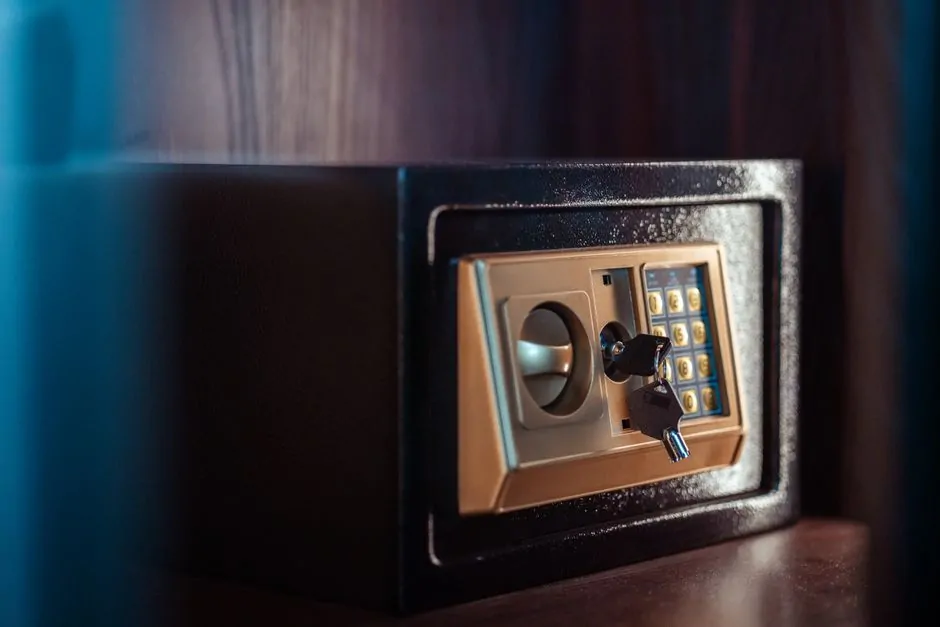
Exploded security illustration showing Safe 5 secure element, microcontroller, touchscreen, casing, and protected key material
Trezor Safe 5 vs Safe 7: early design differences
How OPTIGA Trust M V3 protects private keys involves hardware-backed secrets, device authentication, and resistance to selected probing or extraction techniques. The element helps establish that a connected device is genuine and can protect sensitive credentials used by the wallet’s security model. Transaction signing still requires user approval and the recovery seed remains the ultimate restoration secret. Keep the device physically controlled, use a PIN, and inspect every update prompt. Security claims should be read alongside current technical documentation and independent research.
Where the Trezor Safe fits in the current lineup
Trezor Safe 5 disadvantages include the trade-off created by a closed-source secure element. The surrounding firmware and hardware philosophy may be open, yet users cannot independently inspect every internal implementation of the OPTIGA Trust M V3. Some buyers prefer a fully auditable design and may choose another hardware wallet for that reason. Others value the additional physical protections. The sensible comparison is not open versus closed in isolation, but which combination of transparency, tamper resistance, usability, and personal operating discipline best fits the threat model.
Trezor Safe 5 vs Safe 7: Which Hardware Crypto Wallet Wins?
Trezor Safe 5 versus Safe 7 is not a universal contest because the best hardware crypto wallet depends on price, connectivity, display preferences, and supported workflows. Safe 5 offers a proven touchscreen experience and established Trezor Suite integration. Safe 7 may appeal to users prioritizing newer hardware or convenience features, but confirm availability and documented specifications before buying. For Bitcoin cold storage, seed protection and address verification usually matter more than marginal hardware differences. A discount should never justify purchasing from an unofficial seller.

Comparison table photographed beside Trezor Safe 5 and newer Safe 7-style device showing displays, ports, and security accessories
Key Upgrades Over the Trezor Model One and Safe 3
A feature-by-feature wallets comparison should cover screen size, input method, connection options, supported assets, firmware lifecycle, backup methods, and Trezor Suite compatibility. Safe 5’s touchscreen makes confirmations readable, while a newer model may add convenience but also introduce unfamiliar dependencies. Check whether desired DeFi, MetaMask, multisig, and Bitcoin-only workflows are supported before migrating funds. Compare total ownership cost, including a durable backup and replacement plan. The feature list matters less than whether each action can be verified safely on the device.
Trezor Safe 5 vs Safe 7: early design differences
Trezor versus Ledger reflects different design philosophies. Safe 5 emphasizes open-source firmware and a touchscreen, while Ledger models may offer different displays, application support, and secure-element architecture. Ledger Stax is particularly relevant for buyers seeking a larger premium interface, whereas Safe 5 may appeal to users prioritizing Trezor Suite and open-source transparency. Compare recovery standards, supported applications, fees, and update policies rather than judging by appearance. Any device still requires independent address verification and disciplined seed storage.
Where the Trezor Safe fits in the current lineup
In brief, Safe 5’s price sits above entry-level models because the touchscreen and enclosure improve everyday interaction. Its compact size suits a desk drawer or secure storage box, while the display reduces the friction of checking long addresses. Daily usability is strongest for people who make occasional, meaningful transactions and want clear confirmation. Buyers should budget for a metal backup, secure storage, and perhaps a second device for recovery testing. The cheapest wallet is not the cheapest solution if poor usability causes mistakes.
Trezor Wallet Models Compared: Model One, Safe 3, Safe 5, Safe 7
Trezor wallet models compared across one family reveal a clear progression from basic button control to touchscreen convenience and newer feature sets. Trezor One is the budget entry point, Safe 3 adds modern security architecture, Safe 5 adds a richer interface, and Safe 7 represents the newest generation where available. The right choice depends on transaction frequency, asset support, physical threat exposure, and budget. All models require a recovery seed, careful firmware practice, and protection against phishing.
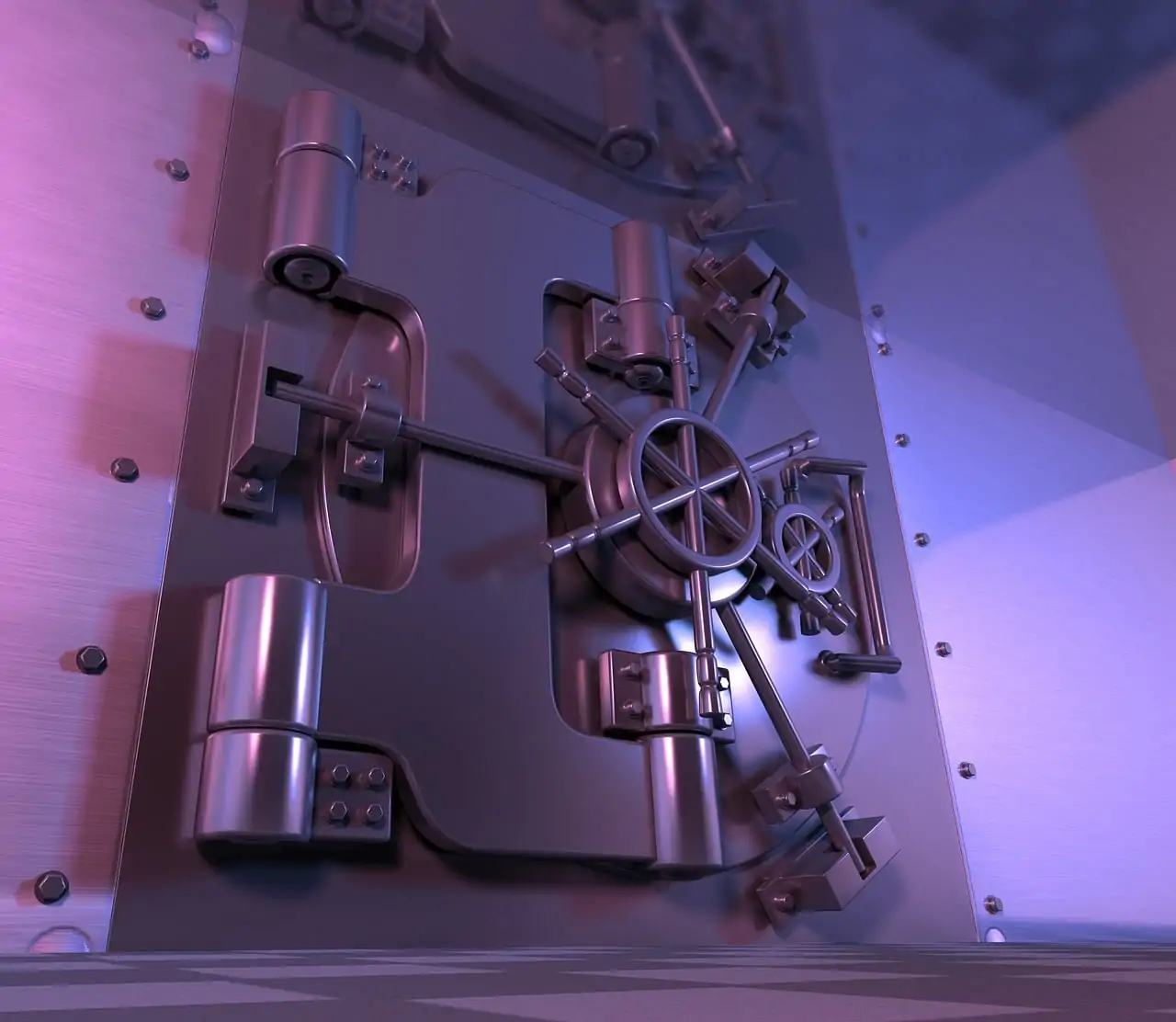
Four-model Trezor lineup arranged chronologically with labels for display, controls, secure element, and intended user profile
Where the Trezor Safe fits in the current lineup
Trezor Model One remains a budget entry point for users who want private keys offline without paying for a touchscreen. Its buttons and smaller display make address review slower, especially with long Bitcoin strings, but the basic signing concept remains understandable. Confirm current asset support before purchase because newer services may favor current models. Model One is most suitable for patient users who transact infrequently and maintain excellent backups. Those wanting easier confirmation, stronger physical design, or newer compatibility should compare Safe 3 and Safe 5.
Safe 3, Safe 5, Safe 7: choosing your Trezor Safe
Choosing your Trezor Safe starts with the workflow you will actually use. Select Safe 3 for strong value, Safe 5 for touchscreen clarity and premium handling, or Safe 7 when its documented additions justify the price. Consider Bitcoin-only firmware if Bitcoin is your sole asset, and confirm whether Shamir Backup or multisig is part of your plan. Do not buy solely for specifications: a device that is easy to verify, update, and recover is more valuable than unused features.
Daily Use and Trezor Suite Experience: A Detailed Evaluation
Daily use of Safe 5 is centered on Trezor Suite, which combines account discovery, balances, receiving addresses, sending, coin control, labels, and firmware management. The hardware wallet remains the signing boundary: the computer prepares a transaction, but the device shows the final details and authorizes it. This separation is valuable even when the desktop environment is not perfectly trustworthy. Use labels that reveal no sensitive information, review fees, and maintain a transaction routine.

Trezor Suite desktop interface showing Bitcoin account balance, receive screen, transaction review, and connected Safe 5
Trezor Suite: Sending, Receiving, and Managing Bitcoin
Trezor Suite makes sending and receiving Bitcoin relatively accessible. For receiving, generate an address, compare it on Safe 5, and copy it only after confirming the device display. For sending, paste the destination, inspect the amount and fee, then compare the full recipient address on the touchscreen before signing. Use a small test payment for a new recipient or service. Keep exchange withdrawals separate from long-term savings, and wait for confirmations before treating high-value transfers as complete.
Where the Trezor Safe fits in the current lineup
Trezor Suite’s coin control and labeling features help users manage privacy and accounting. Coin control can prevent accidental merging of inputs from different sources, while labels can identify savings goals, exchange withdrawals, or business receipts. Labels are metadata, not encryption, so avoid names that expose personal wealth or counterparties if the computer is shared. Review change outputs and fees before signing. Advanced users can combine careful coin selection with a Bitcoin-only workflow, but beginners should learn one control at a time.
Important Disclaimers about third-party integrations
Important disclaimers about third-party integrations apply to DeFi, MetaMask, exchanges, and browser-based applications. A hardware wallet can sign a malicious contract or approve an incorrect transaction if the user fails to understand the prompt. Compatibility does not imply endorsement, and software interfaces can change independently of Trezor Suite. Use a separate wallet for experimental applications, limit approvals where possible, and never enter the recovery seed into an integration. Research every service before connecting valuable funds.
Trezor Safe 5 Review: Real-World Performance and Reliability
Real-world performance is strong for ordinary Bitcoin receiving, sending, and account review. Safe 5’s touchscreen reduces button navigation, and Trezor Suite generally makes the workflow easy to repeat. Reliability depends on cable quality, computer drivers, current firmware, and maintaining a valid recovery seed. The device is not designed to be carried casually with the backup, and users should avoid exposing the wallet during recovery or PIN entry. Test a small transaction before relying on it for larger holdings.
SOLIDHODL-friendly security habits for long-term holders
SOLIDHODL-friendly security habits emphasize patience, redundancy, and privacy. Keep the wallet in cold storage when not signing, separate the device from its recovery seed, and document a simple inheritance process. Use a dedicated setup computer where practical, verify firmware, and avoid discussing balances publicly. A metal backup can protect against environmental damage, but access control remains essential. Review the recovery plan annually without exposing the seed, and consider a geographically separated backup only after understanding the added risk.
Trezor Hardware Wallet: firmware update process
The Trezor hardware wallet firmware update process should begin with a verified recovery seed and a stable connection. Open Trezor Suite, review the stated version and release information, and approve installation on the device. Do not disconnect power during an update unless instructed. Afterward, confirm the device identity, account access, and receiving address. If an update prompt arrives through email, social media, or unsolicited support, ignore it and open the official application directly. Firmware maintenance is routine, but recovery readiness is mandatory.
Trezor Safe 5 Advantages and Disadvantages: Is It Suitable for You?
Trezor Safe 5 advantages include a readable touchscreen, straightforward Trezor Suite integration, open-source firmware, and layered hardware protection. Disadvantages include a higher price than Safe 3 or Trezor One, dependence on careful seed handling, and the closed-source secure element trade-off. It is suitable for users who will verify transactions on-device and maintain a durable backup. It is less suitable for buyers seeking a completely hands-off experience or those unwilling to learn self-custody procedures.
Trezor Safe 5 advantages: What We Loved in This Wallet Review
The advantages we valued most were the clear color touchscreen, tactile confirmation, readable transaction details, and polished Trezor Suite workflow. Safe 5 feels less intimidating than button-only crypto wallets, which can improve address-checking habits for beginners. The device also supports a serious security model without requiring constant technical intervention. Its premium construction is reassuring, but the real benefit is reduced friction during correct verification. Users should still practice recovery and avoid treating convenience as permission to skip security checks.
Trezor Safe 5 advantages for Bitcoin maximalists
For Bitcoin maximalists, Safe 5 can pair well with Bitcoin-only firmware, cold storage, careful coin control, and a conservative signing routine. The touchscreen makes receiving and spending verification less tedious, while open-source firmware supports a preference for inspectable software. Dedicated holders may not need broad cryptocurrency support, DeFi access, or frequent exchange connections. A multisig arrangement can provide additional resilience, but it adds operational complexity and should be tested before holding significant funds.
Open-Source Crypto Security and ease of use
Open-source crypto security and ease of use are not competing goals in Safe 5’s design. Trezor exposes important software components while presenting confirmations through a consumer-friendly touchscreen. That combination helps experienced users inspect assumptions and helps beginners follow a repeatable transaction process. Ease of use should mean clearer verification, not fewer checks. Keep the device updated, confirm addresses on the screen, and treat unexpected prompts as potential attacks rather than interruptions.
Trezor Safe 5 disadvantages: Drawbacks to Consider
Trezor Safe 5 disadvantages deserve equal attention before purchase. The wallet costs more than entry-level alternatives, setup requires seed-management knowledge, and advanced features can confuse casual users. The secure element is not fully open source, and third-party integrations introduce additional risk. Safe 5 also cannot protect funds when the recovery seed has been exposed or when a user approves a malicious transaction. These limitations are manageable, but only with realistic expectations and consistent operating habits.

Candid desk scene showing Safe 5 beside price comparison notes, security checklist, and recovery planning materials
Trezor Safe 5 disadvantages: price and learning curve
Price and learning curve are the most visible disadvantages. Safe 5 may be unnecessary for someone holding a small amount temporarily or using a well-tested multisig service. New users must understand PINs, recovery seeds, passphrases, address verification, fees, firmware, and phishing before moving substantial funds. A promotional pack or discount can lower the purchase price but should not accelerate setup. Learn with a small balance, read official instructions, and write a personal emergency procedure that never includes the recovery words.
Installing Trezor Suite and connecting the device
Safe 5 versus Safe 7 may reveal missing features depending on the newer model’s final specifications, such as connectivity options, display improvements, or convenience integrations. Before choosing Safe 5, identify whether you need those functions rather than assuming they are essential. For straightforward Bitcoin storage, extra features may increase complexity without improving security. Check current product pages and firmware documentation because capabilities, prices, and availability can change after publication.
Target Users and Suitable for: Who Should Buy the Trezor Safe 5?
The target users for Safe 5 are people who want personal control over private keys and value clear physical transaction confirmation. It suits long-term Bitcoin savers, privacy-conscious users, and beginners willing to learn a disciplined backup process. It is not ideal for someone who cannot protect a recovery seed, needs constant mobile convenience, or expects customer support to reverse mistakes. Before buying, define the assets, transaction frequency, threat model, and inheritance needs that the wallet must serve.
Three user profiles comparing long-term Bitcoin holder, privacy advocate, and beginner using Safe 5 safely
Suitable for Bitcoin HODLers and Privacy Advocates
Safe 5 is suitable for Bitcoin HODLers and privacy advocates who want private keys offline and prefer direct verification. Its account tools can support careful coin management, while Bitcoin-only firmware may reduce unnecessary functionality. Privacy still depends on network use, address reuse, exchange records, labels, and computer hygiene; a hardware wallet alone does not make transactions anonymous. Use fresh receiving addresses, avoid public balance disclosures, and separate experimental services from long-term savings.
Target users: long-term Bitcoin savers
Long-term Bitcoin savers benefit when Safe 5 is kept in cold storage and used only after deliberate planning. Create the wallet privately, verify the seed, receive a small test amount, and then transfer larger balances in staged transactions. Maintain a metal backup and a written recovery procedure stored separately. Review access and inheritance arrangements periodically. Do not connect the wallet to unnecessary websites merely to monitor value; portfolio information can be observed through watch-only tools.
Installing Trezor Suite and connecting the device
SOLIDHODL principles explain why self-custody matters: exchange balances depend on another organization’s solvency, policies, and access controls, while self-custody places signing authority with the holder. That authority is empowering but unforgiving. Safe 5 helps keep private keys offline and makes approvals visible, yet responsibility remains with the owner. Diversify operational risk, maintain backups, and move only an amount you can manage securely. Self-custody is a process, not merely possession of a device.
Step-by-Step Hardware Wallet Setup with Trezor Suite
Safe 5 is suitable for beginners and casual crypto users who want a guided interface without abandoning hardware confirmation. The touchscreen makes basic receiving and sending easier to understand, and Trezor Suite centralizes common tasks. Beginners should start with Bitcoin, avoid unfamiliar DeFi applications, and learn recovery before transferring meaningful value. Casual users must not let infrequent activity cause forgotten PINs, outdated firmware, or misplaced backups. A simple written operating checklist can prevent most avoidable errors.

Beginner-friendly Safe 5 tutorial scene showing touchscreen confirmation, Trezor Suite instructions, and a small test transaction
Installing Trezor Suite and connecting the device
First-time hardware wallet buyers should choose Safe 5 if they value readable confirmations and are prepared to learn seed security. Purchase from an official source, inspect the package, initialize the device yourself, and confirm that no recovery words are supplied in advance. Practice receiving and sending a small amount before using the wallet for savings. Do not let a friend, seller, or online support agent handle the seed. The learning curve is manageable when divided into setup, backup, test, and routine stages.
Important Disclaimers before you start
Safe 5 safety for everyday transactions depends on a consistent pause before approval. Check the recipient, amount, network, fee, and change behavior on the device display, not only in the computer application. Keep the PIN private, use a trusted cable, and disconnect after completing the transaction. For frequent spending, maintain a smaller operational balance and keep long-term savings isolated. If the touchscreen displays something unexpected, reject the transaction and investigate before reconnecting.
Hardware Wallet Setup: From Unboxing to First Transaction
This FAQ addresses practical Safe 5 questions about setup, recovery, comparisons, and daily custody. The central answer is consistent: the wallet protects signing operations, but the recovery seed and user decisions determine ultimate safety. Use official software, verify information on the device, and treat every unsolicited request for seed words as fraud. Readers should adapt recommendations to their own financial, legal, and physical threat environment.

FAQ illustration showing Trezor Safe 5, recovery seed protection, firmware update, and verified Bitcoin transaction checklist
Step-by-Step Hardware Wallet Setup with Trezor Suite
Common questions about setup and recovery usually concern seeds, lost devices, PINs, and firmware. A new wallet must generate its own seed on the device, and that seed should be recorded offline. Losing the hardware wallet is inconvenient but not necessarily catastrophic if the backup remains safe. Losing or exposing the seed is far more serious. Firmware updates should be performed through official Trezor Suite, with recovery information available before starting. Never share the seed with support, family, or a website.
Installing Trezor Suite and connecting the device
Recovery seed storage and private property protection require both secrecy and durability. Keep the seed away from the device, household visitors, cameras, and online systems. Paper may work for short-term use, while engraved or stamped metal is better for environmental resilience. Consider who could access a safe, drawer, or estate document, and avoid revealing wallet ownership through labels. A backup should be findable by the intended successor but useless to unauthorized people.
Important Disclaimers before you start
If you lose the device but still control the recovery seed, restore the wallet on a replacement Trezor or compatible wallet, verify the derived addresses, and consider moving funds to a newly generated wallet. If the device is stolen but protected by a strong PIN, the immediate risk may be reduced, yet the seed remains decisive. If the seed is lost or exposed, replacement hardware cannot solve the problem. Act calmly, stop using compromised credentials, and seek trustworthy technical guidance.
Trezor vs Ledger and Other Questions from Readers
Trezor versus Ledger questions usually focus on security chips, open-source design, supported assets, screen quality, and software ecosystems. Neither brand removes the need for recovery discipline. Trezor Safe 5 appeals to users who value open-source firmware, Trezor Suite, touchscreen confirmation, and a visible security model. Ledger may suit users who prefer its application ecosystem or hardware options. Compare current specifications, recovery standards, fees, and third-party compatibility rather than relying on brand slogans.
Important Disclaimers before you start
Choose Safe 5 when its touchscreen, established software, and price provide the right balance for your needs. Choose Safe 7 only when its verified newer features materially improve your workflow and justify the additional cost. For either device, prioritize official firmware, a protected seed, independent address confirmation, and a recovery rehearsal. If your use is Bitcoin-only and infrequent, the simpler model may be preferable. If convenience causes you to skip verification, no specification advantage will compensate.
SOLIDHODL: is the Trezor Safe 5 right for you?
Safe 5 is right for you if you want Bitcoin self-custody, will protect a recovery seed, and appreciate a touchscreen for deliberate transaction review. It is a poor fit if you expect an exchange to reverse mistakes, want to share one seed casually, or dislike maintaining backups. SOLIDHODL-oriented users can pair it with cold storage, a metal backup, staged transfers, and a tested inheritance plan. Make the decision based on habits you can sustain, not on fear or marketing.
Final Verdict: Is the Trezor Safe 5 the Best Hardware Wallet for You?
The final verdict is that Trezor Safe 5 is a strong hardware wallet for users who want a clear touchscreen, mature Trezor Suite experience, open-source firmware, and layered secure-element protection. It is not universally best: Safe 3 offers value, Trezor One offers a lower-cost entry, and alternatives may suit different ecosystems. Safe 5 earns its premium when readable verification improves your real behavior. Buy through an official channel, protect the seed, and test recovery before storing substantial Bitcoin.
Trezor Safe 5 Review: Pros, Cons, and Overall Rating
The review’s pros are the responsive touchscreen, readable address confirmation, strong construction, Trezor Suite integration, open-source firmware, and layered security architecture. Cons include price, setup responsibility, third-party risks, and the secure element’s limited auditability. Overall, Safe 5 is a compelling choice for serious self-custody users and a friendly upgrade from button-led devices. Its rating should reflect operational fit rather than marketing: excellent for disciplined holders, excessive for users who do not need hardware protection.
Important Disclaimers before you start
The advantages and disadvantages recap is simple: Safe 5 improves interaction and verification, but it cannot eliminate human error. The touchscreen, haptic feedback, STM32U5, OPTIGA Trust M V3, and Trezor Suite form a capable system. The user must still secure the seed, verify addresses, update firmware safely, and separate everyday funds from long-term savings. Choose it for sustainable self-custody, not because any hardware wallet promises absolute protection.
Important Disclaimers: State spending and private property
Important disclaimers about state spending and private property should be understood in legal context. Hardware wallets protect cryptographic control, but ownership, taxation, reporting, inheritance, and seizure rules vary by jurisdiction. Do not treat technical custody as legal advice or assume private property rights are identical everywhere. Maintain accurate records, consult qualified professionals, and protect recovery materials lawfully. Security planning should preserve access without encouraging concealment or unlawful activity.
Trezor Safe 5 vs Safe 7: Our Recommendation for 2025
Our recommendation for 2025 is to choose Safe 5 when you want a mature touchscreen experience and its documented capabilities cover your needs. Safe 7 may be preferable for buyers who specifically need verified newer features, but confirm current support and pricing before deciding. The best purchase is the model you can initialize privately, back up durably, and use without skipping verification. Avoid pressure from limited-time offers, unsolicited promotions, or unsupported claims about security.

2025 buying recommendation display with Safe 5 and Safe 7 comparison cards, official software, and secure backup materials
In brief: who should buy the Safe 5
In brief, Safe 5 is for Bitcoin savers, privacy-minded users, and beginners who want a readable touchscreen and are willing to learn self-custody. It is especially attractive when transaction confirmation on a small device has previously felt difficult. Consider Safe 3 if price is decisive, Trezor One if basic functionality is enough, and Safe 7 if a verified new feature matters. Regardless of model, buy from an official source and protect the recovery seed.
Metal backup options and private property protection
State spending and private property belong to the bigger picture because technical control operates within real financial and legal systems. A hardware wallet can keep private keys offline and clarify who can authorize a transaction, but it does not settle ownership disputes, tax duties, inheritance, or regulatory obligations. Safe 5 is therefore a tool for responsible custody, not a substitute for legal planning. Combine strong device security with accurate records, lawful conduct, and a resilient family access plan.